$ cat project.json
AI Diagnosis with Crew AI
This project is a medical diagnosis application using artificial intelligence (AI). The application consists of two main parts: a frontend developed in Angular and a backend developed in Python. The backend uses Crew AI for patient diagnosis via a POST API with Flask. The frontend uses this API to submit patient information.
tech_stack:
AI Diagnostics with Crew AI
This project is a medical diagnostic application using artificial intelligence (AI). The application consists of two main parts: a frontend developed in Angular and a backend developed in Python. The backend uses Crew AI for patient diagnosis via a POST API with Flask. The frontend uses this API to submit patient information.
Table of Contents
Project Overview
This project is designed to provide a medical diagnostic service using AI agents developed with the Crew AI framework. The frontend is a user interface developed in Angular that allows users to enter patient information and submit this information to a backend API. The backend, developed in Python, uses Crew AI to analyze data and return a diagnosis via a Flask API.
Prerequisites
Before starting, make sure you have installed the following:
- Node.js (for the Angular frontend): Download Node.js
- Python 3.x (for the backend): Download Python
- pip (to install Python dependencies)
- venv (to manage the Python virtual environment)
Installation and Configuration
Backend Configuration
- Clone the Project Directory
clone git https://github.com/chrfsa/dignosAI
diagnostic cdAI/retour
- Create and Activate a Virtual Environment
python -m venv venv
source venv/bin/activate # On Windows: venv\Scripts\activate

3. **Install the dependencies**
```bash
pip install -r requirements.txt

4. **Configure environment variables**
Make sure all necessary environment variables are configured. You can create an .env file in the backend root directory with the required variables. In this project, the variables used are the Groq and Serper APIs.

### Frontend Configuration

1. **Navigate to the frontend directory**
```bash
`cd``
- Install dependencies
`npm install```
## Starting the project
1. **Start the backend**

```bash
`python main.py`
- Start the frontend
`ng serve`
Usage
To use DiagnosAI, you must launch the backend and frontend together. Then, open a web browser and go to http://localhost:4200/.
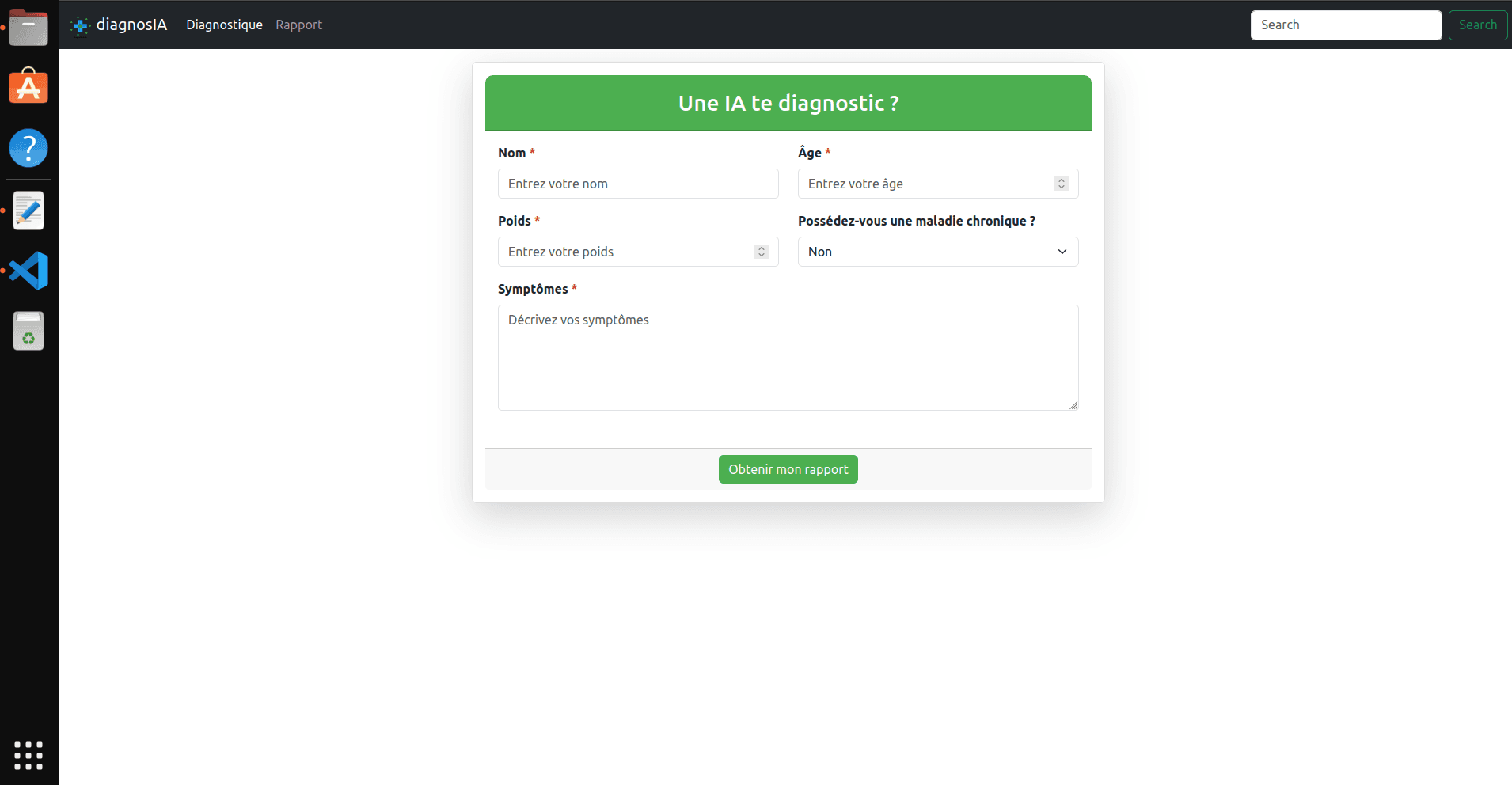
Use the form to enter patient information, such as symptoms, age, weight, and medical history. This information will be sent to the backend via a POST API.
The backend will analyze the data using Crew AI and return a diagnosis based on the information provided. The results will be displayed and you can download them.